
Image source: Pexels / abdo alshreef (Pexels License)
If you’ve ever stood in your basement and felt that thick, clammy air cling to your skin, you know exactly why a dehumidifier matters. But simply buying one isn’t enough. You’ve got to set it correctly, and that means understanding humidity levels, knowing your space, and fine-tuning the dial.
Get this wrong and you waste energy or still battle mold. Get it right and your home breathes easier.
This guide walks you through everything you need to know about setting the humidity level on your dehumidifier. No jargon. No guesswork.
Just clear, practical steps you can follow today.
Understanding Your Dehumidifier’s Humidity Control
Modern dehumidifiers come equipped with built-in hygrometers, essentially tiny weather stations that measure the moisture in the air. Most models also feature a humidistat, which lets you pick your target humidity and tells the machine when to kick on or shut off. Some units go a step further with auto mode, continuously adjusting based on real-time readings.
Here’s what you need to know about these controls.
Built-in Humidistat
The humidistat is the dial or digital setting that determines your target percentage. Turn it up, and the dehumidifier works longer to pull more moisture out. Turn it down, and the unit calls it quits sooner.
Simple.
Most consumer-grade dehumidifiers offer a range between 30% and 80% relative humidity (RH). That’s a wide span, which is both a good thing and a potential source of confusion. Good, because it gives you flexibility.
Confusing, because picking the right number requires knowing your specific situation.
Auto Mode vs. Manual Setting
Auto mode is convenient. The unit reads the room, decides the ideal level, and runs itself. For many households, this is perfectly adequate, especially if humidity tends to fluctuate throughout the day.
Manual settings give you more control. If you’re battling a persistent dampness problem, setting a fixed target often beats auto mode. You’re not relying on the machine’s algorithm; you’re driving the decision yourself.
Digital Displays and Controls
Newer units feature intuitive digital interfaces with LED readouts showing current and target humidity in real time. Older models rely on rotary dials with numbered increments. Both work fine, but digital displays reduce errors, you can see exactly where you stand at a glance.
If your dehumidifier has a delay timer, use it wisely. A short delay (30 minutes to an hour) prevents the unit from cycling on and off too frequently, which saves energy and extends the compressor’s lifespan.
Finding the Ideal Humidity Range for Your Space
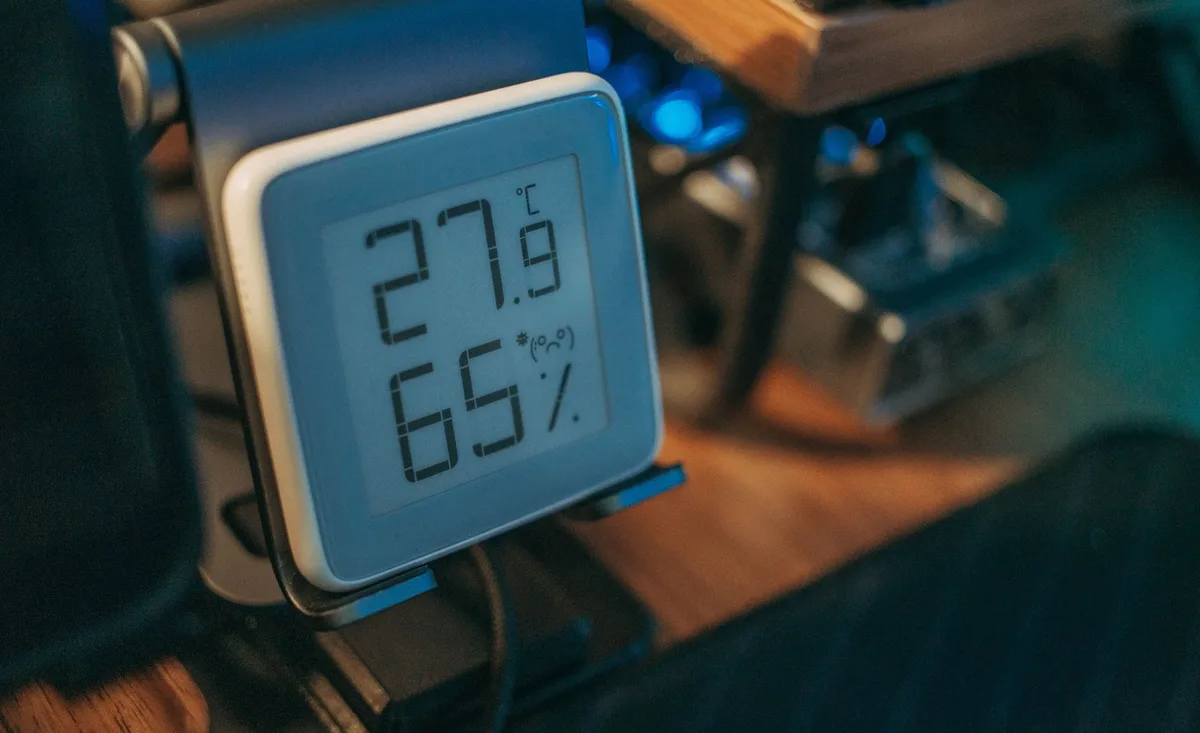
Image source: Pexels / FOX ^.ᆽ.^= ∫ (Pexels License)
Setting the right humidity level starts with knowing what range is healthy for your home. Too dry causes static electricity, dry sinuses, and cracking wood. Too damp invites mold, dust mites, and musty odors.
The sweet spot falls somewhere in between.
The General Recommendation: 30% to 50%
The U.S. Department of Energy recommends keeping indoor humidity between 30% and 50% for comfort and health. Most HVAC professionals echo this guidance.
Here’s why that range matters:
| Humidity Level | What Happens |
|---|---|
| Below 30% | Air feels dry. Static shocks increase. Wood furniture and flooring can crack. Respiratory irritation becomes more likely. |
| 30–50% | Comfortable. Mold and dust mites struggle to thrive. Allergens stay in check. |
| 50–60% | Mold begins to grow on surfaces. Dust mite populations rise. Musty smells may develop. |
| Above 60% | Heavy mold risk. Structural damage possible over time. Respiratory issues flare up. |
Room-by-Room Considerations
Not every room needs the same humidity level. Tailoring your settings by space gives better results than a one-size-fits-all approach.
Bedrooms: Aim for 40% to 50%. This range supports restful sleep and reduces allergens that trigger nighttime congestion. Slightly lower humidity also makes the room feel cooler, which helps you sleep better.
Bathrooms: These generate steam constantly. Set your dehumidifier to 40% to 45% during and after showers. Quick venting with an exhaust fan still helps, but a dehumidifier catches what the fan misses.
Basements: Basements are the usual suspects for high humidity. They’re underground, often poorly ventilated, and prone to moisture seepage. Target 35% to 45%.
If you store items down there, papers, clothes, boxes, lean toward the lower end to protect your belongings.
Living Areas: 40% to 50% works well for general living spaces. This keeps the air comfortable without making it feel sterile or overly dry.
Climate and Seasonal Factors
Where you live dramatically affects the right setting. If you’re in a humid subtropical climate like parts of Florida or Louisiana, even 40% might feel borderline. You may need to run your dehumidifier closer to 35% during peak summer months.
In contrast, homes in arid regions may rarely need a dehumidifier at all.
Seasonal shifts matter too. Summer brings higher ambient humidity, pushing your dehumidifier to work harder. Winter air is drier naturally, and running a dehumidifier then can over-dry your home unless you have a specific moisture source like a furnace-vented gas heater.
According to research from the University of Minnesota Extension on indoor humidity management, maintaining proper humidity levels significantly impacts both occupant health and building integrity. Their guidelines support the 30, 50% range for most residential applications.
How to Set Your Dehumidifier’s Target Humidity
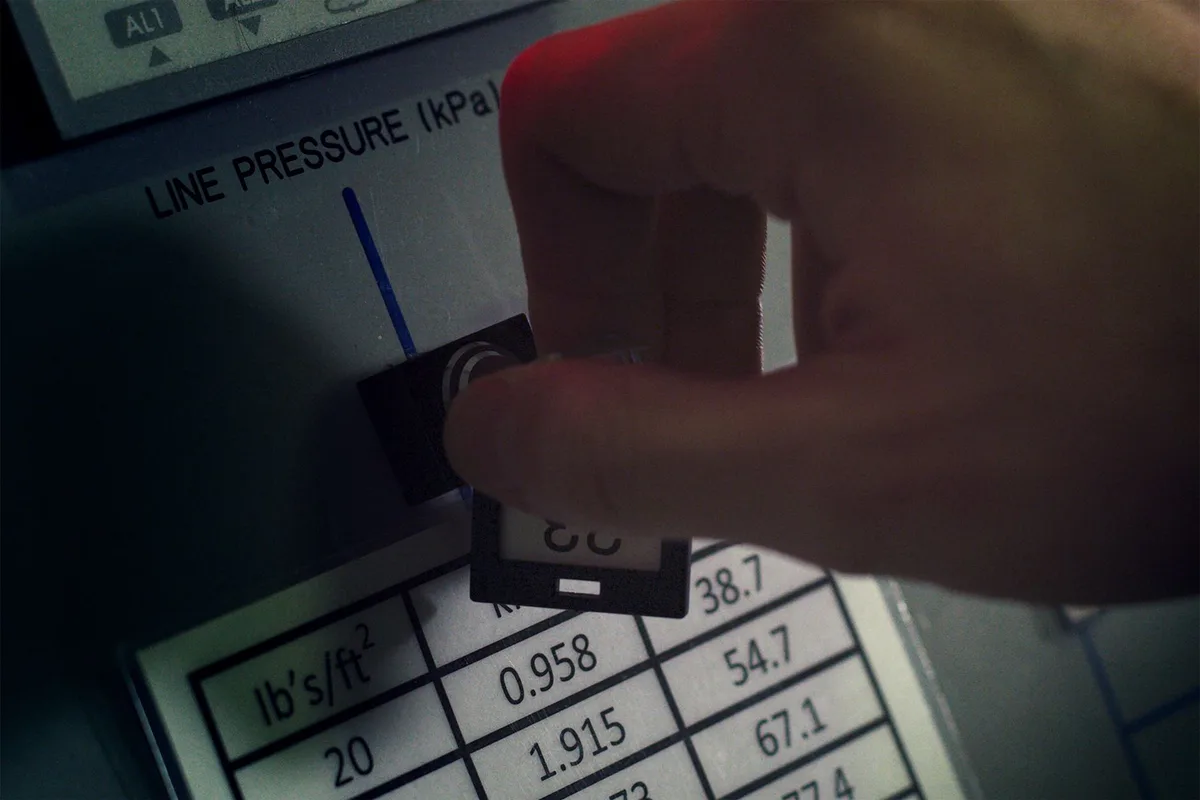
Image source: Pexels / ThisIsEngineering (Pexels License)
Now for the hands-on part. Setting your dehumidifier’s humidity level varies slightly by brand and model, but the core steps remain the same across nearly every unit on the market.
Step 1: Locate the Humidity Control
Check your dehumidifier’s control panel. On dial-based models, you’ll find a circular knob marked with numbers or percentages. On digital models, look for buttons labeled “Humidity,” “Set,” or a similar indicator.
Some units combine humidity control with a power button on the same panel; others separate them.
If you’re unsure, the user manual is your fastest reference. Keep it handy, or save a PDF version on your phone.
Step 2: Check the Current Humidity Reading
Most dehumidifiers display the current relative humidity in real time. Note this number before you change anything. It tells you where you’re starting from and whether your target setting is realistic.
For example, if your reading shows 72% and you set the target to 35%, the unit will run constantly until it gets there. That’s fine for a heavy moisture problem, but it also means higher energy bills. A more gradual approach, setting the target to 55% first, then dropping it later, lets the unit ease into the new condition without straining the compressor.
Step 3: Dial in Your Target
Turn the dial to your desired percentage, or press the humidity button repeatedly until the digital display shows your target. Common starting points:
- 35% to 40% for basements and problem areas
- 40% to 45% for bedrooms and living spaces
- 45% to 50% for general comfort in moderately humid climates
Once you set it, the dehumidifier does the rest. It runs until the room hits your target, then shuts off. When humidity rises again, it kicks back on automatically.
Step 4: Monitor and Adjust
Your first setting might not be perfect. Watch the unit for a few days. If it runs constantly without reaching the target, the room may be far too wet, consider a larger-capacity unit or sealing drafts.
If the unit cycles on and off rapidly, your target might be too aggressive for the conditions.
Fine-tune as needed. Small adjustments of 3% to 5% can make a noticeable difference in comfort and efficiency.
Setting Up Auto Drain vs. Tank Collection
How your dehumidifier handles collected water affects its performance too. Units with auto-drain ports let water flow continuously into a floor drain or utility sink. Tank-based models require manual emptying when the reservoir fills.
Auto drain is more convenient for whole-house or basement applications. Tank models work fine for smaller spaces where you don’t mind checking the bucket every day or two. Either way, keep the water management system clean, standing water breeds bacteria and odors.
Common Mistakes When Setting Dehumidifier Humidity
Even experienced homeowners make mistakes with dehumidifier settings. Learning from common errors saves you time, money, and frustration.
Setting the Humidity Too Low
A lot of people think “the lower the better.” Not true. Dropping your target below 30% creates an overly dry environment. You’ll deal with dry skin, irritated eyes, warped wooden floors, and increased静电 (static electricity).
Your dehumidifier also burns more energy chasing an unrealistic goal.
Stick to at least 30% unless you have a specific medical or preservation reason to go lower.
Ignoring the Room’s Size and Load
A dehumidifier rated for a 50-pint daily capacity works great in a small bathroom. It chokes in a large unfinished basement. If your unit runs nonstop but never reaches the target humidity, you may simply need more capacity.
Check the manufacturer’s square-footage and pint-rating guidelines to confirm your unit matches the space.
Placing the Unit in the Wrong Spot
Location matters. Put your dehumidifier in an open area with at least six inches of clearance on all sides. Don’t tuck it behind furniture or into a tight corner, restricted airflow forces the unit to work harder and reduces effectiveness.
Also avoid placing it near heat sources like radiators or direct sunlight, which can throw off humidity readings.
Forgetting to Close Windows and Doors
Dehumidifiers pull moisture from the air in an enclosed space. Open a window, and you’re constantly fighting incoming humid air. That’s like trying to cool a house with the front door wide open in July.
Seal the area you’re treating. Close windows, doors, and any vents leading outside while the unit runs.
Skipping Regular Maintenance
A dirty filter or clogged coil dramatically reduces performance. Your dehumidifier might hit the target, but it takes much longer and uses more energy doing it. Clean the air filter every two weeks during heavy use.
Wipe down the condenser coils seasonally. Empty and rinse the water tank regularly to prevent mineral buildup and mold.
Pro Tips for Optimizing Your Dehumidifier Settings
Want to get the most out of your dehumidifier? These tips push performance beyond the basics.
Use a Separate Hygrometer for Verification
Some dehumidifiers’ built-in sensors drift over time. A standalone hygrometer, available for under $20 at most hardware stores, gives you a second opinion. Place it near the dehumidifier but not directly in front of the exhaust.
If the readings diverge by more than 5%, calibrate or replace the dehumidifier’s sensor.
Pair Your Dehumidifier with Proper Ventilation
Dehumidifiers remove moisture, but they don’t exchange stale air. Run ceiling fans or open interior doors to circulate air through the treated space. In bathrooms and kitchens, combine dehumidification with exhaust fans for maximum moisture control.
Take Advantage of Timer Functions
If your unit has a programmable timer, set it to run during the highest-humidity hours, typically late morning through early evening in summer. Running the dehumidifier only when moisture levels peak saves energy without sacrificing comfort.
Monitor Energy Usage
Dehumidifiers are energy hogs compared to a ceiling fan. A typical 30-pint unit draws around 300 watts, similar to a bright incandescent bulb running 24/7. If your electricity bill spiked after bringing the unit home, consider a ENERGY STAR-certified model for future replacements.
These units use roughly 20% to 30% less energy while delivering the same moisture removal.
Know When to Upgrade
If you’re replacing filters, cleaning coils, and optimizing placement but still can’t hold your target humidity, it’s time to evaluate your equipment. Old dehumidifiers lose efficiency as compressors wear. A unit that’s 10 years or older probably isn’t worth repairing, a modern replacement pays for itself in energy savings within a couple of seasons.
Seasonal Adjustments for Year-Round Comfort
Your ideal dehumidifier setting isn’t static. It changes with the seasons, and adjusting accordingly keeps your home comfortable and efficient all year round.
Spring: Moisture Ramp-Up
As temperatures rise, so does outdoor humidity. Spring is when dehumidifiers earn their keep. Start by checking your baseline reading when you first bring the unit out of storage.
Clean the filter thoroughly, dust accumulated over winter clogs airflow immediately. Set the target to 45% and monitor. If humidity climbs past 55%, drop the setting to 40% until the season stabilizes.
Summer: Peak Performance Season
Summer demands the most from your dehumidifier. Ambient humidity often pushes past 60%, and the unit runs nearly continuously. Maintain a target of 40% to 45%.
This range stops mold growth without over-drying the air. Make sure the condensate drainage system is clear, a blocked auto-drain line causes the unit to shut down prematurely and leaves water pooled inside.
Fall: Gradual Transition
Humidity drops as temperatures cool. Your dehumidifier naturally runs less, but don’t neglect it entirely. Interior humidity can still climb due to cooking, showering, and drying laundry indoors.
Keep the target at 45% and watch for signs the unit is overworking, if it runs constantly in cool weather, the air may already be dry enough that you can pause or store the unit.
Winter: Minimal Use
Winter is the off-season for dehumidifiers in most climates. Cold air holds less moisture, and indoor heating further dries things out. Only run your dehumidifier if you notice condensation on windows or a musty smell, signs that a specific area (like a basement) retains excess moisture despite the cold.
If you do use it, set the target no lower than 40%. Going below that in winter risks damaging your home’s woodwork and your own respiratory tract.
Frequently Asked Questions
Can I set my dehumidifier to 30% humidity?
Yes, but only if your space genuinely needs it. Basements with serious moisture problems sometimes benefit from a 30% target. For most living spaces, 30% is too low and can cause dry skin, irritated airways, and damage to wood furniture and flooring.
Stick to 35% minimum unless a professional home inspector recommends otherwise.
How long does it take a dehumidifier to reach the set humidity level?
It depends on several factors: the current humidity, the size of the space, the dehumidifier’s capacity, and how well the room is sealed. A properly sized 30-pint unit in a 500-square-foot basement typically drops humidity by 10% to 15% within the first few hours. Full stabilization might take 12 to 24 hours.
If your unit doesn’t seem to budge after a full day, recheck your placement and seal the room more tightly.
Should I run my dehumidifier 24/7?
Not necessarily. If your target humidity is reached and holding steady, the unit cycles on and off automatically, that’s normal. You don’t need to leave it running at maximum capacity around the clock.
However, during periods of extreme humidity (heavy rain, summer mornings), running it continuously until conditions improve is appropriate. Once humidity stabilizes, the unit self-regulates.
Why does my dehumidifier keep shutting off?
Short cycling, frequent on-and-off behavior, usually points to one of three issues: the target humidity is set too close to the current room humidity, the air filter is dirty and restricting airflow, or the unit is placed in a spot where the sensor reads inaccurate temperatures. Check the filter first, then verify the target setting is at least 5% below the current reading.
Does dehumidifier humidity setting affect mold growth?
Directly. Mold spores need moisture to germinate and spread. Most common household molds begin growing at humidity levels above 55%.
Keeping your target at or below 50%, ideally 45%, significantly reduces mold risk. For spaces with existing mold problems, a target of 35% to 40% accelerates drying and discourages regrowth while you address the underlying issue.
Can I use a dehumidifier in a cold garage or unheated space?
Standard dehumidifiers struggle below 65°F. The refrigerant coils freeze up, and moisture removal drops off sharply. If you need dehumidification in a cold garage or shed, look for a unit specifically rated for low-temperature operation, often called “desiccant” dehumidifiers.
These use a moisture-absorbing material instead of a compressor and work effectively even near freezing.
How do I know if my dehumidifier is working correctly?
Several signs point to a healthy unit: the target humidity is reached and maintained, the water collection tank or drain line shows consistent output, the air feels noticeably drier, and the unit cycles naturally rather than running nonstop. If none of these apply after troubleshooting filter, placement, and settings, the compressor or sensor may need professional servicing.
Is it better to set a lower humidity or let the unit run on auto mode?
Auto mode is convenient and sufficient for mild humidity issues. But for persistent dampness, basements, laundry rooms, spaces with mold history, a fixed lower setting (35% to 45%) gives you more reliable protection. Auto mode might settle at 50% and call it good, leaving residual moisture that auto mode considers acceptable.
You decide what “acceptable” means for your space.
Setting the humidity level on your dehumidifier isn’t complicated once you know the principles. Pick a target between 35% and 50% based on your space, set it, monitor the results, and adjust as seasons change. Your home will feel fresher, your air will feel cleaner, and you’ll prevent costly moisture damage before it starts.
A few minutes spent getting the setting right pays dividends for years to come.

Table of Contents