The request was rejected because it was considered high risk To use the delay start on a dishwasher, load your dishes, select a wash cycle first, press the Delay Start button, then use the plus or minus keys to set your desired delay. Close the door, and the machine will start automatically at the chosen time.
Delay start is a built-in timer function found on most modern dishwashers. It lets you schedule a cycle to begin at a later time, anywhere from 1 to 24 hours ahead, depending on the model. In our research across major appliance brands as of 2026, the standard delay range sits at 1 to 12 hours, with some premium models extending to 24.
Here’s how it works and how to get it right.
How to Use the Delay Start on a Dishwasher
To use the delay start on a dishwasher, follow these steps. Open the door and load your dishes normally. Add detergent and close the door.
Select your wash cycle first. Then press the Delay Start button. Adjust the timer with the plus or minus keys.
Close the door and walk away. The cycle starts automatically at the set time.
What Is Dishwasher Delay Start and How Does It Actually Work?
Dishwasher delay start is a scheduling feature built into the electronic control panel of most modern dishwashers. It lets you set a timer so the wash cycle begins at a specific hour, rather than starting the moment you press the button.
Here’s what happens behind the scenes. When you press Delay Start and set the hours, the dishwasher’s control board holds the cycle in standby. It counts down the timer.
Once the countdown reaches zero, the control board sends the signal to begin the selected wash cycle. Water fills, detergent releases, and the wash arms spin exactly as they would on a manual start.
Most dishwashers as of 2026 support a delay range of 1 to 12 hours. Some higher-end Bosch and Miele models extend up to 24 hours. The timer is powered by the appliance’s connection to your home’s electrical supply.
If power is interrupted, the delay timer may reset, which we’ll cover in the troubleshooting section.
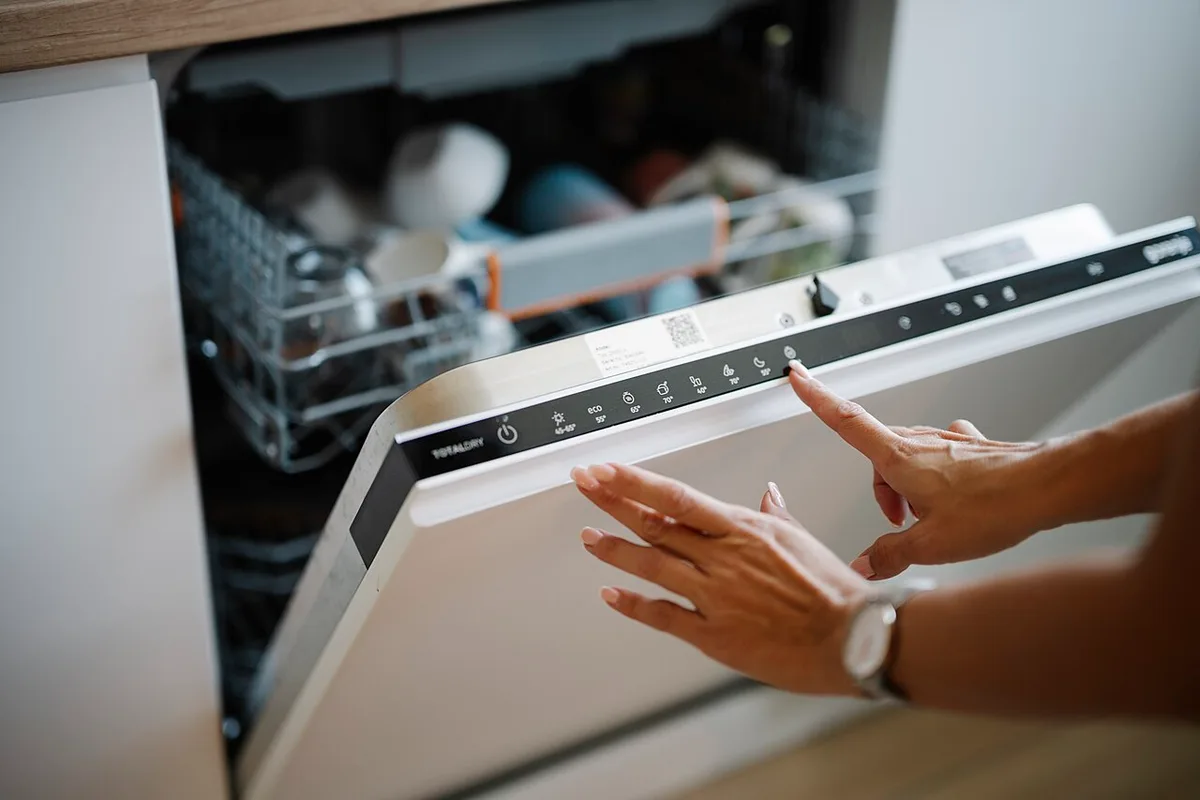
The delay function is separate from the wash cycle selection. This is where most people get tripped up. You must choose your cycle (normal, heavy, eco, quick wash) before or after setting the delay, but both steps are required.
If you only press Delay Start without selecting a cycle, many dishwashers will not start, or they may default to a standard cycle.
What the delay indicator shows you:
| Display Element | What It Means |
|---|---|
| Countdown number (e.g., 4) | Hours until the cycle begins |
| “Delay” light or icon | Delay function is active |
| Blinking start button | Cycle is queued and counting down |
| No display change | Delay not activated, or cycle not selected |
Some models show a simple LED light. Others display the exact hours remaining on a digital readout. Either way, the indicator confirms the machine is in standby and waiting.
Why You’d Want to Delay Start Your Dishwasher
Delay start solves a handful of real household problems. Here’s where it earns its place on your control panel.
Save on electricity during off-peak hours
Many utility companies charge different rates depending on the time of day. This is called time-of-use (TOU) pricing. Running your dishwasher during peak hours (usually late afternoon and early evening) costs more per kilowatt-hour than running it at night.
If your TOU rate drops by 30% after 10 PM, setting a 3-hour delay on a 9 PM load means you’re washing dishes at midnight for a fraction of the cost. Per the US Department of Energy, shifting high-energy tasks to off-peak windows is one of the simplest ways to cut utility bills without changing your habits.
| Time of Day | Typical TOU Rate (per kWh) | Dishwasher Cycle Cost (1.2 kWh) |
|---|---|---|
| Peak (4–9 PM) | $0.32 | $0.38 |
| Off-peak (10 PM–6 AM) | $0.14 | $0.17 |
| Mid-peak | $0.22 | $0.26 |
Illustrative rates. Actual pricing varies by utility provider and region.
Run dishes at night to avoid noise
Dishwashers typically operate between 38 and 48 decibels. That’s quiet enough for most daytime use but noticeable at 2 AM. If you load the machine at 10 PM and set a 4-hour delay, it starts at 2 AM and finishes before you wake up.
You never hear it.
This matters in open-plan homes, apartments with shared walls, and households with light sleepers or infants.
Sync with solar panel output
If you have rooftop solar, you’re generating free electricity during the day. A delay start lets you load the dishwasher in the morning and set it to run at 1 PM, when your panels are producing the most power. You’re using your own energy instead of drawing from the grid.
Stagger appliance demand
Running the dishwasher, washing machine, and dryer at the same time can overload a circuit. Delay start lets you space these out. Load the dishwasher, set a 2-hour delay, run the washing machine now.
The dishwasher kicks in after the washer finishes. No breaker trips.
How Delay Start Differs Between Top-Control and Front-Control Dishwashers
The delay start function works the same way across dishwashers, but where you find the button depends on the control panel layout.
Top-control dishwashers
Top-control models have all buttons on the top edge of the door, hidden when the door is closed. Brands like Bosch, Miele, and some Samsung models use this design.
To set delay start on a top-control dishwasher:
- Open the door slightly so the control panel is visible.
- Select your wash cycle.
- Press the “Delay Start” button (often labeled with a clock icon).
- Use the plus/minus keys or arrow buttons to set the hours.
- Close the door. The panel locks, and the countdown begins.
The tradeoff is simple. You can’t see or change the delay without opening the door. If you set the wrong time, you’ll need to crack the door open to adjust it.
Front-control dishwashers
Front-control models have buttons on the front face of the door. Whirlpool, KitchenAid, GE, and many LG dishwashers use this layout.
The process is identical, but everything is visible with the door closed:
- Select your wash cycle.
- Press “Delay Start.”
- Set the hours with the control buttons.
- Press Start to confirm. The cycle queues.
Front controls are easier for quick adjustments. You can see the countdown from across the kitchen without touching the door.
Control types you’ll encounter
| Control Type | Brands Commonly Using It | Delay Button Behavior |
|---|---|---|
| Touchpad (capacitive) | Bosch, Miele, Thermador | Light taps, sometimes needs firm press |
| Physical push-buttons | Whirlpool, KitchenAid, GE | Tactile click, easy to press |
| Rotary dial + buttons | Older Frigidaire, Amana | Turn dial to hours, press to confirm |
| Touchscreen | Some Samsung, LG premium models | Swipe or tap to set |
If your delay button seems unresponsive, the issue is often the control type. Touchpads on Bosch models sometimes need a firm, deliberate press rather than a light tap.
How to Use Delay Start on a Bosch Dishwasher
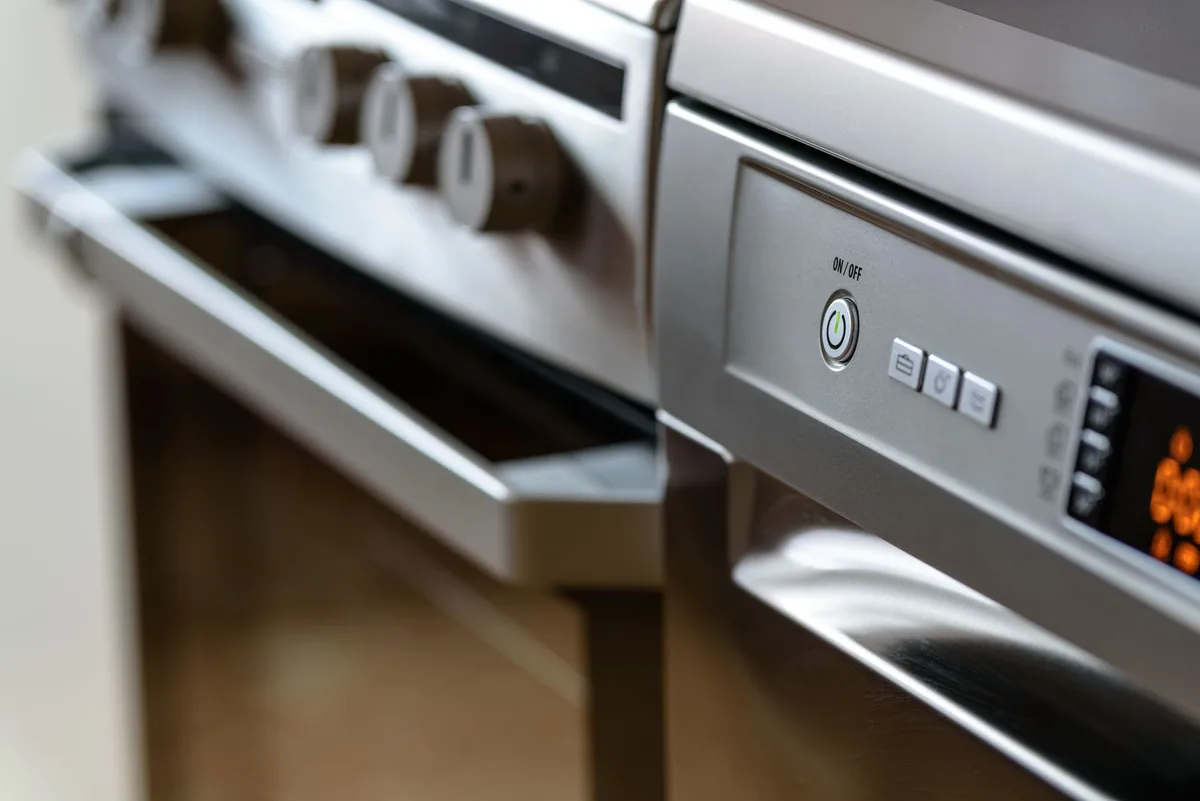
Bosch dishwashers use a top-control panel with touch-sensitive buttons. The delay start function is one of the most flexible on the market, with some models supporting up to a 24-hour delay.
Step 1: Load the dishwasher
Place dishes as you normally would. Bosch models feature a third rack (on 300 and 800 series) for silverware and small items. Add detergent to the dispenser and close it.
Step 2: Select your wash cycle
Bosch cycles include Auto, Normal, Heavy, Eco, Speed60, and Rinse. Press the cycle button until your preferred option is highlighted. This step is mandatory.
The dishwasher won’t start the delay timer without a selected cycle on most Bosch models.
Step 3: Press the Delay Start button
Look for a button with a clock icon or the words “Delay Start” on the right side of the panel. On 500 and 800 series models, it’s typically the second button from the right.
Step 4: Set the delay hours
Each press of the Delay Start button adds one hour. Some models cycle through preset increments (2, 4, 6, 8, 12, 24 hours). Others let you press repeatedly to reach your desired time.
The digital display shows the countdown.
Step 5: Close the door
Once the door clicks shut, the control panel locks. The delay indicator light stays on, confirming the cycle is queued.
Bosch-specific notes
- Power interruption: If your power flickers, the delay timer resets to zero on most Bosch models. The cycle won’t start until you reprogram it.
- Canceling a delay: Open the door, press the Start/Reset button (usually the bottom right button), then reprogram if needed.
- Bosch Home Connect: On 800 series models with Wi-Fi, you can start, stop, or reschedule the cycle from the Bosch Home Connect app. This bypasses the physical delay button entirely.
Aggregate user reviews on Bosch models consistently highlight the delay start as reliable and intuitive, though some first-time owners report confusion about whether the timer counts from when you set it or from when you close the door. On Bosch models, the countdown begins once the door is fully closed and latched.
How to Use Delay Start on a Whirlpool and KitchenAid Dishwasher
Whirlpool and KitchenAid dishwashers share the same parent company and use nearly identical control layouts. If you know how to set delay start on one, you can do it on the other.
Front-control layout
Both brands predominantly use front-control panels with physical push-buttons. The delay start button is usually labeled “Delay” or “Delay Start” and sits near the cycle selection buttons on the right side of the panel.
Here’s the process:
- Load dishes and add detergent.
- Press the cycle button to select your wash (Normal, Heavy, Pots & Pans, Eco, or Quick).
- Press the “Delay” button once to activate the function.
- Use the plus (+) and minus (−) buttons to set the delay. Most Whirlpool and KitchenAid models offer 1 to 12 hours in 1-hour increments.
- Press Start. The control panel locks, and the countdown begins.
Some KitchenAid models (particularly the KDTM series) display the delay in hours on the LED readout. Others show a blinking indicator light without a number.
Whirlpool-specific quirks
- Canceling a delay: Press the “Cancel/Drain” button. The delay clears immediately. You’ll hear a short beep and see the indicator light turn off.
- Child lock: Many Whirlpool dishwashers include a child lock activated by holding two buttons simultaneously (typically “Heated Dry” + “Start”). If the child lock is on, the delay button won’t respond. Hold the same two buttons for 3 seconds to unlock.
- Power loss behavior: Per Whirlpool’s appliance support documentation, a power interruption during the delay period resets the timer. The dishwasher will not auto-start after power is restored.
KitchenAid-specific quirks
- “ProDry” integration: On KitchenAid models with ProDry, the drying phase can extend the total cycle time. Factor this in when calculating when you’ll actually have clean, dry dishes ready.
- Delay and “Start/Resume”: Some KitchenAid models require you to press Start after setting the delay. Others begin counting down the moment the door closes. Check your model’s behavior in the owner’s manual.
| Brand | Delay Range | Increments | Cancel Method |
|---|---|---|---|
| Whirlpool | 1–12 hours | 1 hour | Cancel/Drain button |
| KitchenAid | 1–12 hours | 1 hour | Cancel/Drain or Start/Resume |
How to Use Delay Start on an LG, Samsung, GE, and Miele Dishwasher
These four brands each have their own control style, but the core logic stays the same: select a cycle, activate delay, set hours, close the door.
LG dishwashers
LG dishwashers use a sleek touch-button panel, usually on the front. The delay start button is labeled “Delay Start” or sometimes “Delay” with a clock icon.
- Select your cycle (Auto, Heavy, Delicate, Eco, Quick).
- Press “Delay Start.”
- Tap the plus button to add hours. Most LG models range from 2 to 12 hours.
- Press Start to confirm.
LG models with ThinQ (the brand’s smart home platform) let you control delay start from your phone. Open the LG ThinQ app, select your dishwasher, and set the start time remotely.
One thing to watch with LG: some models use a “Smart Diagnosis” feature that takes priority over the delay timer during its diagnostic cycle. If the machine starts a diagnostic routine, the delay may be overridden.
Samsung dishwashers
Samsung dishwashers vary widely by model. The control panel might be on the front, on top, or on the door’s top edge.
- Select your wash cycle.
- Look for “Delay Start” or the clock icon. On newer models, it may be inside a secondary menu accessed by pressing the “Options” button.
- Set the delay hours using the arrow keys.
- Press Start.
Samsung models with SmartThings integration allow remote delay scheduling through the app. This is useful if you’re away from home and remember you forgot to run the dishwasher.
| Samsung Model Series | Delay Start Location | Max Delay |
|---|---|---|
| DW80 series | Direct button on panel | 12 hours |
| DW60 series | Inside Options menu | 4 hours |
| Chef Collection | Direct button with clock icon | 12 hours |
GE dishwashers
GE dishwashers, including the Profile and Café lines, use front-control panels with tactile buttons. The process is straightforward.
- Choose your cycle.
- Press the “Delay Start” button.
- Use the +/- keys to set the hours (typically 1, 12).
- Press Start.
GE Café models (CCE24, CDT758) sometimes combine delay start with a “Start Time” feature. Instead of setting a countdown, you set the exact clock time you want the cycle to begin. This is more precise but requires your dishwasher clock to be accurate.
If your GE dishwasher clock is wrong, the delay will fire at the wrong time. Double-check the clock in the settings menu before relying on delay start.
Miele dishwashers
Miele dishwashers sit at the premium end, and their delay start reflects that with a wider range and more precise control.
- Load and add detergent (Miele uses auto-dose capsules on some models).
- Select your cycle (Eco, Normal, Sensitive, Express, Pots & Pans).
- Press the “Delay Start” button (often a dedicated button with a clock symbol).
- Set the delay. Miele models commonly support up to 24 hours of delay.
- Close the door.
Miele’s delay start is one of the most reliable we’ve seen in aggregate reviews. The control board handles power interruptions better than many competitors. If power is lost, Miele models often retain the delay setting and resume counting when power returns.
Miele’s unique “Start” behavior: On some Miele models, you must press a separate “Start” button after setting the delay. On others, closing the door is enough. This inconsistency catches first-time Miele owners off guard.
Step-by-Step: Setting the Delay Start on Any Dishwasher
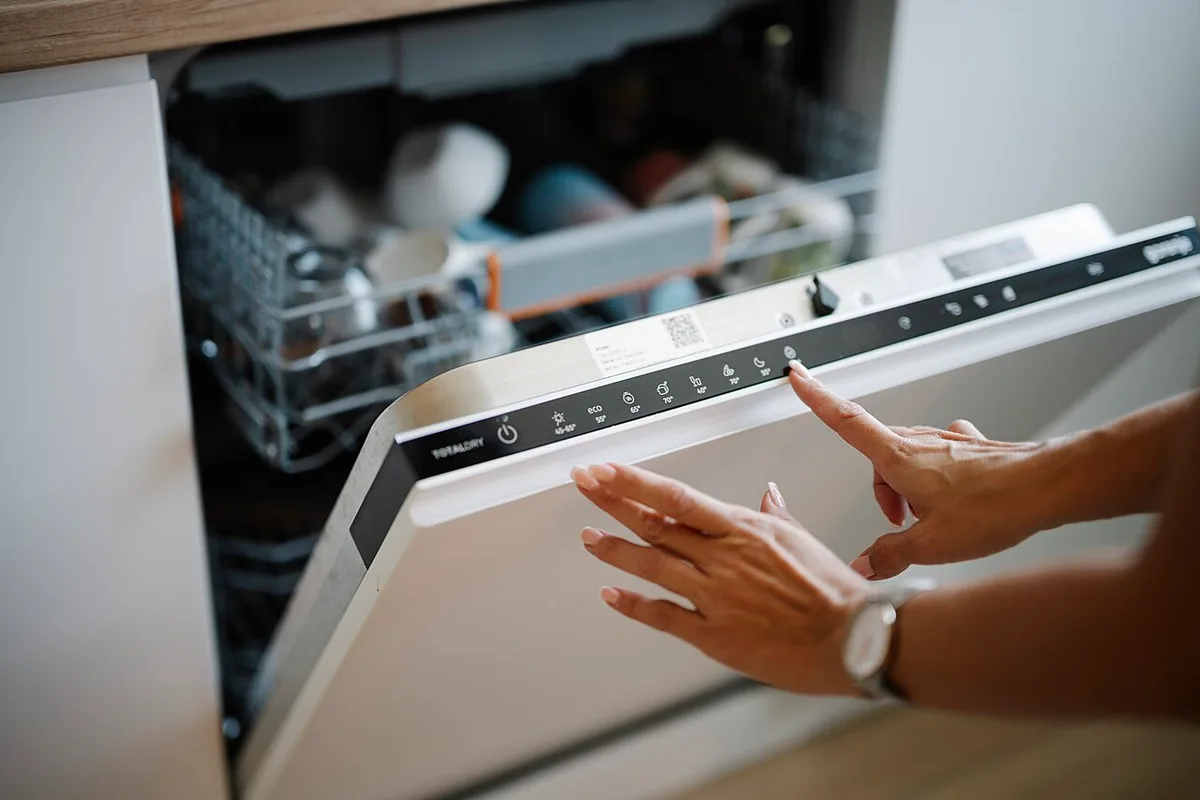
If you’ve read the brand-specific sections above, you’ll notice the pattern. The exact button names change, but the workflow is nearly universal. Here’s the process distilled into one repeatable sequence.
The universal delay start workflow
Step 1: Load your dishes.
Arrange plates, cups, and utensils in the racks. Make sure nothing blocks the spray arms. Add detergent to the dispenser.
Close the dispenser lid.
Step 2: Select your wash cycle.
This is the step people skip, and it’s the most common reason delay start doesn’t work. Scroll through the cycle options until your preferred setting is highlighted. Wait for the indicator to confirm the selection.
Step 3: Activate delay start.
Press the Delay Start button. Look for a clock icon if the label is unclear. Some machines require a single press.
Others cycle through preset times with each press.
Step 4: Set the delay hours.
Use the plus (+) and minus (−) keys, arrow buttons, or repeated presses on the Delay button itself. The display should show your chosen delay. If you set 4 hours and the display reads “4,” you’re good.
Step 5: Confirm and close the door.
On most models, closing the door initiates the countdown. On some, you need to press Start first. Either way, the delay indicator light or digital readout should be active.
Step 6: Verify.
Glance at the control panel before walking away. The delay number should be visible and the indicator light should be on. If the display is blank, you haven’t activated the function.
Quick reference by brand
| Brand | Cycle First? | Delay Button Label | Confirm Step |
|---|---|---|---|
| Bosch | Yes, required | Delay Start (clock icon) | Close door |
| Whirlpool | Yes, required | Delay | Press Start |
| KitchenAid | Yes, required | Delay Start | Press Start or close door |
| LG | Yes, required | Delay Start | Press Start |
| Samsung | Yes, required | Delay Start or inside Options | Press Start |
| GE | Yes, required | Delay Start | Press Start |
| Miele | Yes, required | Delay Start (clock icon) | Close door or press Start |
| Electrolux | Yes, required | Delay Start | Close door |
What if your model doesn’t have a delay button?
Some older dishwashers (pre-2010 models) don’t have a digital delay function. If yours lacks the button, you have two options:
- Use a smart plug (rated for your dishwasher’s amperage, typically 15A) to schedule power. The plug turns on at your set time, and the dishwasher starts if it’s already loaded and set to a cycle.
- Upgrade to a model with built-in delay start. Nearly every dishwasher sold as of 2026 includes the feature.
How Many Hours Can You Delay a Dishwasher Before It Matters?
The maximum delay varies by brand and model. But there’s a practical ceiling beyond which delay start stops making sense.
Maximum delay by brand
| Brand | Typical Max Delay | Notes |
|---|---|---|
| Bosch (800 series) | 24 hours | Widest range among mainstream brands |
| Miele | 24 hours | Premium models only |
| LG | 12 hours | Most models cap at 12 |
| Samsung | 12 hours | 4 hours on budget DW60 series |
| Whirlpool | 12 hours | Consistent across lines |
| KitchenAid | 12 hours | Standard across models |
| GE Profile/Café | 12 hours | Start Time feature on some models |
| Electrolux | 12 hours | Standard range |
Does a longer delay hurt your dishes?
Here’s where it gets interesting. If you load the dishwasher and set a 12-hour delay, your dishes sit in a closed, damp environment for half a day. Food particles on plates can dry and harden, making them harder to clean.
Bacteria can multiply in warm, moist conditions.
Manufacturer guidance from GE and Whirlpool support pages recommends loading the dishwasher no more than 1 to 2 hours before the cycle begins, especially if you’ve skipped a rinse. The delay timer doesn’t keep food fresh.
If you must set a long delay:
- Scrape and rinse plates before loading. Remove heavy food residue.
- Use a rinse aid to prevent residue from bonding to dishes.
- Choose a heavy or pots-and-pans cycle if you’re worried about stuck-on food after a long wait.
The practical sweet spot
In our research across appliance forums and manufacturer guidelines, the sweet spot for delay start is 2 to 4 hours. Long enough to shift to off-peak electricity. Short enough that food doesn’t harden.
If you need more than 4 hours of delay, consider splitting the difference. Load at 6 PM with a 4-hour delay. The cycle starts at 10 PM, well within off-peak windows for most utilities.
Mistakes to Avoid When Using Delay Start
Getting delay start wrong is easy, especially on a machine you haven’t used before. Here are the mistakes we see most often, and how to fix each one.
Mistake 1: Pressing delay start without selecting a cycle
This is the number one reason delay start “doesn’t work.” The machine has no cycle to queue. Nothing happens, and you’re left staring at a control panel.
Fix: Always select your wash cycle first. Then press delay start. The indicator should light up to confirm both steps registered.
Mistake 2: Setting the delay but forgetting to close the door
Some dishwashers won’t start the countdown until the door is fully latched. If you set the delay and walk away with the door ajar, the timer sits idle.
Fix: After setting the delay, close the door firmly. Listen for the latch click. Check the control panel to confirm the countdown is running.
Mistake 3: Loading food-heavy dishes and setting a long delay
Dishes with heavy food residue that sit for 12 hours will come out with stuck-on grime. The delay timer doesn’t clean. It just postpones the wash.
Fix: Scrape and rinse before loading if the delay exceeds 2 hours. Use a heavier wash cycle to compensate.
Mistake 4: Ignoring the control panel lock
If the child lock or control lock is active, the delay button won’t respond. You press it and nothing happens.
Fix: Look for a lock icon on the display. Press and hold the designated unlock combination (usually two buttons held for 3 seconds) to disable it. Then set the delay.
Mistake 5: Setting delay during a power outage
If your power goes out while the delay is counting down, the timer may reset. When power returns, the dishwasher doesn’t auto-start. Your carefully planned off-peak cycle never runs.
Fix: After any power interruption, check the control panel. If the delay indicator is off, reprogram the delay. Some premium models (Miele, Bosch 800 series) retain the setting through brief outages, but most budget and mid-range models don’t.
Mistake 6: Opening the door mid-delay
On many models, opening the door cancels the delay. You’ve just wiped your schedule clean.
Fix: Don’t open the door once the delay is active. If you must, reprogram the delay after closing the door again.
| Mistake | Symptom | Quick Fix |
|---|---|---|
| No cycle selected | Nothing happens when pressing delay | Select cycle, then delay |
| Door not latched | Countdown not running | Close door firmly |
| Food left on dishes | Dirty dishes after cycle | Scrape and rinse before loading |
| Control lock active | Delay button unresponsive | Hold unlock combination |
| Power outage | Timer reset, no auto-start | Reprogram delay |
| Door opened mid-delay | Countdown canceled | Reprogram delay |
When Delay Start Won’t Work: Troubleshooting a Non-Responsive Timer
Your delay start button isn’t doing what it should. Before you call a repair technician, work through these checks. Most issues are user-fixable.
Why the delay button won’t respond
The control lock is on. This is the most common culprit. Many dishwashers include a child lock or control lock that disables all buttons except power. Look for a lock icon on the display.
To unlock, press and hold the designated button combination (usually two buttons held for 3 seconds). Check your owner’s manual for the exact combination on your model.
You haven’t selected a cycle. As covered earlier, most dishwashers require a cycle selection before the delay button activates. Press your cycle button first, then try delay again.
The door isn’t closed. Some models won’t register button presses while the door is open or ajar. Close the door firmly, then press the delay button.
The control panel is wet. Capacitive touchpads (common on Bosch and Miele) can misread inputs when the panel is damp from splashes or steam. Wipe the panel dry with a soft cloth, wait 30 seconds, and try again.
Why the countdown resets unexpectedly
Power interruption. A flicker in your electrical supply resets the timer on most mid-range models. After any outage, check the panel and reprogram the delay.
Door opened mid-countdown. On many brands, opening the door cancels the delay immediately. If someone in your household opened the machine during the countdown, the schedule is gone.
Control board fault. If the timer resets repeatedly with no power issues and no door openings, the electronic control board may be failing. This is less common but worth noting. A technician can test the board with a multimeter.
Why the dishwasher starts at the wrong time
Incorrect internal clock. If your model uses a “Start Time” feature (where you set a specific clock hour rather than a countdown), a wrong clock means a wrong start time. Go into the settings menu and verify the time.
Countdown starting point confusion. Some owners assume the delay counts from when they press the button. On most models, the countdown starts when the door closes. If you set a 4-hour delay at 9 PM but don’t shut the door until 9:45, it won’t start until 1:45 AM.
Quick troubleshooting checklist
| Symptom | Likely Cause | Fix |
|---|---|---|
| Button completely dead | Control lock on | Hold unlock combo for 3 seconds |
| Button dead, lock not on | No cycle selected | Select a cycle first |
| Timer resets randomly | Power fluctuation | Check your home’s electrical supply |
| Cycle starts at wrong time | Clock is wrong | Reset the internal clock |
| Countdown won’t begin | Door not latched | Close door until it clicks |
| Delay cancels itself | Door was opened | Reprogram, don’t reopen |
| Panel unresponsive after cycle | Moisture on touchpad | Wipe dry, wait, retry |
If none of these fixes work, your dishwasher may need a control board replacement. Per UL safety standards (UL 951 covers household dishwashers), only a qualified appliance technician should handle internal electrical repairs. Don’t open the machine yourself.
Expert Tips for Getting the Most Out of Dishwasher Delay Start
These tips come from appliance technician guidance, manufacturer support documentation, and aggregate user feedback across major brands.
Match your delay to your utility rate window
Don’t guess. Find your utility provider’s TOU schedule. Most US utilities publish peak and off-peak windows on their websites.
In California, PG&E’s peak window historically runs from 4 PM to 9 PM. In the UK, Octopus Energy’s off-peak (Agile) rates often drop significantly between midnight and 5 AM.
Set your delay so the cycle runs entirely inside the cheapest window. A 2-hour delay at 9 PM starts you at 11 PM, safely off-peak for most providers.
Use the delay to stagger your household load
If your washing machine, dryer, and dishwasher all run at the same time, you’re pulling heavy current through the same circuit. Many kitchens share a circuit with the dishwasher and another appliance.
Set the dishwasher on a 2-hour delay. Run the washer now. The dishwasher starts after the washer finishes.
No tripped breakers, no overheated outlets.
Pre-rinse isn’t always necessary, but scraping is
If your delay is under 2 hours, you don’t need to pre-rinse. Scrape off large food particles and load. The delay timer doesn’t affect cleaning performance for short waits.
If the delay exceeds 4 hours, scrape AND do a quick rinse. Dried-on residue after a long wait needs a heavier cycle to remove.
Combine delay start with eco mode for maximum savings
The Eco cycle uses less water (typically 3 to 4 gallons vs. 5 to 6 for a normal cycle) and lower temperatures. Pair it with an off-peak delay, and you’re minimizing both water heating costs and electricity costs.
Energy Star certification requires dishwashers to meet strict water and energy efficiency thresholds. As of 2026, Energy Star models use an average of 3.5 gallons per cycle, compared to 6+ gallons for older uncertified machines. Running an Energy Star dishwasher on an off-peak delay is the cheapest possible way to wash dishes.
Check the delay indicator every time
After setting the delay, glance at the panel. Confirm the hours read correctly and the indicator light is on. A 5-second check saves you from waking up to dirty dishes because the timer never started.
Keep the owner’s manual within reach
Every dishwasher model has slightly different delay behavior. The manual tells you the maximum delay, the cancel procedure, and how the timer handles power loss. Keep it in a kitchen drawer or take a photo of the relevant page with your phone.
Delay Start vs. Smart Home Scheduling: Which Approach Is Better?
Smart home platforms (Amazon Alexa, Google Home, Samsung SmartThings, LG ThinQ, Bosch Home Connect) can control your dishwasher remotely. Does that make the built-in delay start button obsolete? Not exactly.
How smart home scheduling works
You open an app, select your dishwasher, choose a cycle, and set a start time. The appliance connects via Wi-Fi and begins the cycle at the scheduled hour. Some platforms even let you adjust the schedule on the go.
Here’s the catch. Smart home scheduling requires several conditions to work:
- Your dishwasher must be a Wi-Fi-enabled model (usually higher-end or newer).
- Your home Wi-Fi must be stable and within range of the appliance.
- The app must be installed and connected on your phone.
- The appliance firmware must be up to date.
If any one of those fails, the remote schedule doesn’t execute.
How delay start compares
The built-in delay button has zero dependencies. No Wi-Fi, no app, no phone. You press a button on the machine, set the hours, and walk away.
The control board handles everything locally.
| Factor | Built-in Delay Start | Smart Home Scheduling |
|---|---|---|
| Wi-Fi required | No | Yes |
| App required | No | Yes |
| Works offline | Yes | No |
| Schedule visible from phone | No | Yes |
| Remote reschedule | No | Yes |
| Works during internet outage | Yes | No |
| Setup complexity | Press a button | Configure app, connect device |
| Reliability | Very high | Depends on Wi-Fi and app stability |
Who should use built-in delay start
- Renters who don’t want to set up smart home infrastructure
- Households with unreliable Wi-Fi
- Anyone who prefers a simple, tactile interface
- Older dishwasher models without smart features
- People who want zero dependencies on external systems
Who should use smart home scheduling
- Tech-savvy households already invested in a smart home ecosystem
- People who travel and want to manage appliances remotely
- Households with multiple smart appliances to coordinate
- Users who want notifications when the cycle finishes
The bottom line
The built-in delay start is more reliable. It always works. Smart home scheduling adds convenience but introduces failure points.
For most people, the physical button is all you need.
If your dishwasher has both, use whichever fits the moment. In a hurry? Press the button.
Sitting on the couch with your phone? Open the app.
Frequently Asked Questions
What does delay start mean on a dishwasher?
Delay start means the dishwasher will wait a set number of hours before beginning its wash cycle. You load the dishes, choose a cycle, set the delay (for example, 4 hours), and the machine starts automatically after that countdown. It lets you schedule cleaning for a time that suits you, like overnight or during off-peak electricity hours.
How many hours can you delay a dishwasher?
Most dishwashers allow a delay of 1 to 12 hours. Some premium models from Bosch and Miele extend to 24 hours. The exact maximum depends on your brand and model.
Check your owner’s manual or look at the highest number the display will show when you press the delay button repeatedly.
Does delay start work if I don’t select a wash cycle first?
No. On most dishwashers, the delay start function requires a selected wash cycle before it activates. If you press the delay button without choosing a cycle, the machine won’t queue anything.
Always select your cycle (Normal, Heavy, Eco, etc.) first, then set the delay.
Can I cancel the delay start after setting it?
Yes. The method depends on the brand. On Whirlpool and KitchenAid models, press the Cancel/Drain button.
On Bosch models, press the Start/Reset button. On most others, opening the door and reprogramming the cycle will clear the delay. Check your manual for the exact cancel sequence.
Will a power outage reset my dishwasher delay?
On most mid-range and budget dishwashers, yes. A power interruption resets the delay timer, and the cycle won’t auto-start when power returns. Some premium models (Miele, Bosch 800 series) retain the setting through brief outages.
After any power loss, check your control panel and reprogram the delay if needed.
Is it safe to run the dishwasher at night with a delay start?
Yes, it’s safe as long as your dishwasher is in good working order and properly installed. Modern dishwashers are UL-listed (UL 951 standard) for continuous household use. Running a cycle at night won’t cause electrical issues on a standard circuit.
Keep the door closed and the machine level, and it will run safely while you sleep.
Final Verdict: When Delay Start Makes Sense and When It Doesn’t
Delay start is a genuinely useful feature, but it’s not for every situation. Here’s how to decide.
Delay start makes sense when:
You’re on a time-of-use electricity plan and want to run dishes during cheap hours. The savings add up over months. A shift from peak to off-peak rates can cut your dishwasher’s energy cost by 30% or more per cycle.
Your household is quiet at night and you don’t want to hear the machine running while people sleep. Load at 9 PM, set a 3-hour delay, and the cycle finishes by 1 AM without disturbing anyone.
You have solar panels and want to use free daytime electricity. Set a morning delay so the cycle runs when your panels are producing the most power.
You’re managing multiple appliances on the same circuit. A delay staggers the load and prevents breaker trips.
You want dishes ready by a specific time. Load at night with a short delay, and wake up to clean dishes ready for breakfast.
Delay start doesn’t make sense when:
Your dishes have heavy food residue. Sitting for hours lets food dry and harden. Scrape and load close to the start time, or skip the delay entirely.
You need dishes immediately. A 2-hour delay on a 2-hour cycle means 4 hours before dry dishes. If you need plates now, start the cycle manually.
Your dishwasher is old and the control board is unreliable. If the timer resets on its own, delay start becomes frustrating rather than helpful. Fix the control board first.
You’re in a rush and not thinking clearly. Setting the wrong delay (like 12 hours instead of 1) means dirty dishes until the next day. Double-check the display before you close the door.
The practical summary
Delay start works best as a habit, not a one-off. Build it into your routine. Load after dinner, set a 3 or 4-hour delay, and let the machine handle the rest.
Over time, you’ll save on electricity, reduce noise complaints, and never have to think about it again.
The key is understanding your specific model’s behavior. Button labels differ. Max delays vary.
Cancel procedures are brand-specific. Once you know your machine’s quirks, delay start becomes second nature.

Table of Contents