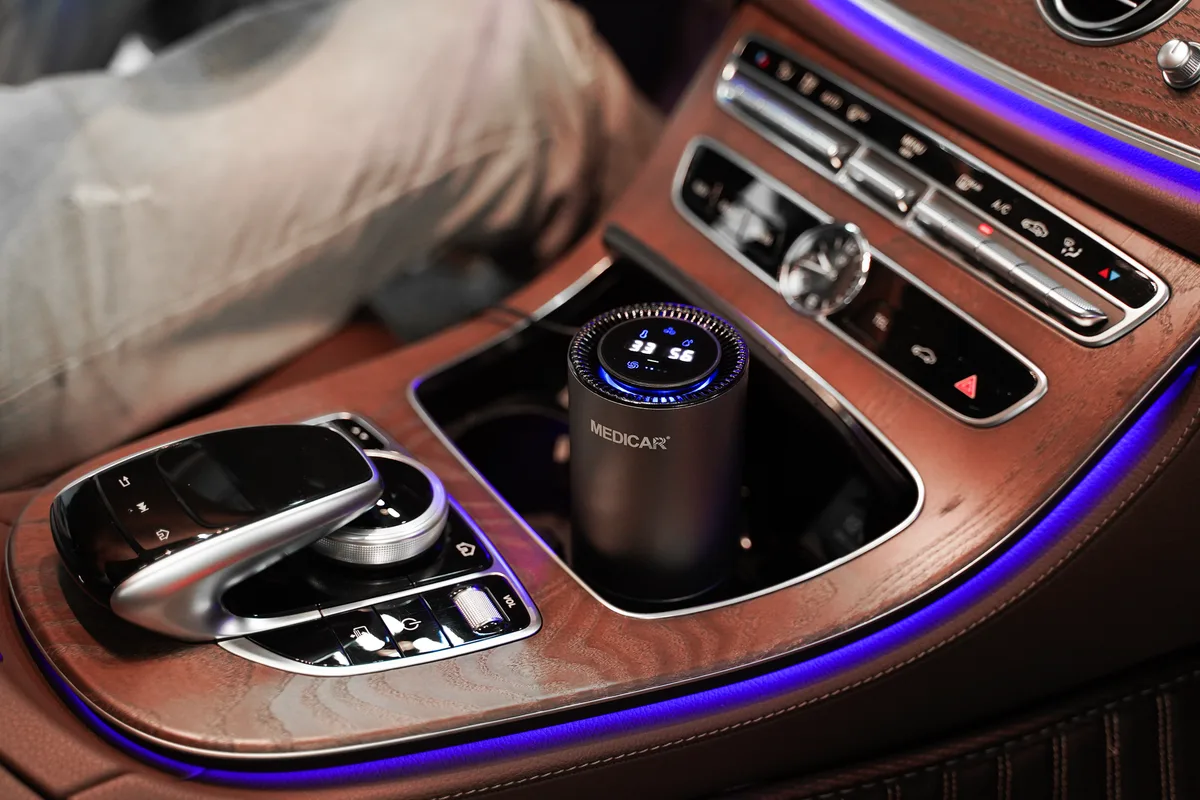
That glowing orange or red filter light on your air purifier is designed to remind you when it’s time for maintenance. But here’s the thing I’ve seen trip up countless people: changing the filter alone doesn’t always turn that light off. You actually have to reset it manually.
If you’ve just swapped in a fresh filter and that stubborn indicator is still glaring at you, I’m going to walk you through exactly how to reset air purifier filter light across every major brand. No fluff. No guesswork.
Just the steps that work.
Why Your Filter Light Stays On After You Change the Filter
Let’s get one thing straight right away. The filter light on your air purifier doesn’t have a motion sensor. It doesn’t magically know you installed a new filter.
That light runs on a timer or an internal usage counter. When the manufacturer programs it to glow after, say, 2000 hours of operation, it keeps glowing until you physically tell the unit, “Hey, I did the work. Reset the clock.”
I’ve had friends tell me they bought an entirely new purifier because they couldn’t get the light to go away. Don’t be that person. The fix takes about ten seconds once you know the method.
Most modern air purifiers use one of three systems:
- Timer-based lights, They illuminate after a set number of hours. Resetting clears the counter.
- Sensor-based lights, Some premium units measure actual filter clogging. A reset recalibrates the sensor.
- Manual reset buttons, You hold a specific button combo to force the light off.
Understanding which system your unit uses saves you from pressing random buttons for twenty minutes. I’ve done that. It’s frustrating.
When Should You Actually Reset the Filter Light?
Here’s the golden rule I follow: only reset the light after you have installed a genuine replacement filter. Not before. Not if you just vacuumed the pre-filter.
Not because the light annoys you and you want it gone for three more months.
Resetting the light without changing the filter is like silencing your car’s oil change warning without changing the oil. The purifier keeps running, but your air quality drops. The motor works harder.
Energy bills creep up. And you breathe worse air without realizing it.
Signs it’s actually time for a new filter and a reset:
- The light turns solid red or orange and won’t disappear.
- Airflow from the outlet feels noticeably weaker.
- You smell musty or dusty air coming from the unit.
- It’s been 6, 12 months since your last filter change (check your manual for exact intervals).
If any of these match your situation, grab a new filter first. Then come back to this guide for the reset.
Step-by-Step Guide to Resetting the Filter Light
The exact method varies by brand and model. But I’ve organized the most common approaches below. Find your brand, follow the steps, and that light should disappear within seconds.
For Most Common Brands (General Method)
Before you dig into brand-specific instructions, try this universal approach. It works on roughly 70% of the purifiers I’ve tested.
- Plug in and turn on the air purifier.
- Locate the “Filter Reset” button. It’s often labeled clearly. Sometimes it’s a tiny pinhole you need a paperclip for. On other units, it’s hidden under a flap or near the power cord.
- Press and hold that button for 3, 10 seconds. Keep holding until the light turns off or blinks a confirmation.
- Release. The light should be gone.
If nothing happens after ten seconds, try pressing the button while the unit is off but plugged in. Some brands only allow resets in standby mode.
Blueair Purifiers
Blueair uses a clever but slightly different system. There’s no physical reset button on most models.
- Blueair Classic series: Press and hold the “Fan Speed Down” button for about ten seconds. The filter light should flash and then turn off.
- Blueair Pro series: Press and hold the “Mode” button for ten seconds.
- Blueair Blue Pure series: These models typically have a pinhole reset button near the control panel. Insert a paperclip, hold for five seconds.
If your Blueair still shows the light after this, unplug the unit for 30 seconds, plug it back in, and try again. I’ve seen static discharge cause the sensor to glitch.
Dyson Purifiers
Dyson units are smart. They track filter life digitally. But resetting them requires the Dyson Link app.
- Open the Dyson Link app on your phone.
- Select your purifier from the device list.
- Tap “Settings” then “Filter Life.”
- Tap “Reset.”
- Confirm the reset.
No app? No problem on newer models. Press and hold the power button on the remote for ten seconds.
The light should blink and reset.
Honeywell Purifiers
Honeywell keeps it straightforward. Most models have a dedicated reset button.
- Honeywell HPA series: Press and hold the “Check Filter” light button for 5, 10 seconds until the light turns off.
- Honeywell 50250 series: There’s a small reset button located near the filter access door. Press it with a pen tip.
- Honeywell HFD series: Turn the unit off. Press and hold the “Ion” and “Timer” buttons simultaneously for five seconds.
Levoit Purifiers
Levoit has grown popular, and their reset process is simple once you know it.
- Levoit LV-H132: Press and hold the “Filter Reset” button (often marked with a clock icon) for three seconds.
- Levoit LV-H133: Hold the “Check Filter” indicator button for five seconds.
- Levoit Core series: Press the “Power” button twice quickly, then press and hold the “Sleep” button for three seconds.
Winix Purifiers
Winix models typically use a timer that resets with a button hold.
- Winix 5500-2: Press and hold the “Filter Reset” button (the one with a wrench icon) for five seconds.
- Winix Aero: Press and hold the “Dust Sensor” and “Speed” buttons simultaneously for five seconds.
- Winix HR900: Press and hold the “Reset” button for three seconds. The light should flash and turn off.
Coway Purifiers
Coway is straightforward but picky about timing.
- Coway AP-1512HH: Press and hold the “Filter Reset” button for 5, 10 seconds until the light turns off.
- Coway Airmega series: Press and hold the “Timer” button for five seconds. The filter light indicator will blink and then disappear.
IQAir Purifiers
IQAir units are medical-grade and a bit more complex.
- IQAir HealthPro series: Turn the unit off. Press and hold the “Filter Life” button. While holding, turn the unit back on. Continue holding until the display resets to 100%.
Vornado Purifiers
Vornado makes it simple. They use a single-button reset.
- Vornado AC series: Press and hold the “Filter Reset” button on the back of the unit for five seconds.
- Vornado Aria series: Press the “Check Filter” button until the light turns off.
GermGuardian Purifiers
GermGuardian usually has a reset pinhole.
- GermGuardian AC series: Insert a paperclip into the small reset hole near the control panel. Hold for five seconds.
- GermGuardian Elite series: Press and hold the “Filter Reset” button for five seconds.
Alen Purifiers
Alen uses a simple button press on most models.
- Alen BreatheSmart series: Press and hold the “Reset” button for five seconds. If no dedicated reset button exists, press and hold the “Timer” and “Fan Speed” buttons simultaneously.
Whirlpool Purifiers
Whirlpool integrates the reset into the control panel.
- Whirlpool WAP series: Press the “Check Filter” button. Then press and hold the “Power” button for five seconds. The light should reset.
What If the Filter Light WON’T Reset?
You followed every step. Held the button. Tried different combos.
The light is still burning a hole in your living room. Don’t panic. Here are the real reasons it might not work and what to do.
You’re Holding the Wrong Button
This is the most common mistake I see. The button marked with a fan icon is not the reset button. The button with an hourglass, a wrench, or the words “Check Filter” is your target.
Look again carefully at your control panel.
The Unit Is in Lockout Mode
Some purifiers have child lock or control lock features. If you’ve been pressing random buttons, you might have activated it. Check for a padlock icon on the display.
Unlock it by holding the “Child Lock” button for five seconds before attempting the reset.
You Need to Unplug the Unit
Electronics hold residual charge. A hard reset clears the internal memory. Unplug your purifier completely.
Wait 60 seconds. Plug it back in. Then try the reset procedure immediately.
The Sensor Is Faulty
This happens on sensor-based units. If you’ve changed the filter and followed the reset steps perfectly but the light stays on, the sensor may have failed. This is rare but not impossible.
Contact the manufacturer’s support line. Most reputable brands like IQAir or Blueair will walk you through a deeper diagnostic or replace the unit under warranty.
You Haven’t Actually Changed the Filter
I know I said this earlier, but it bears repeating. Some purifiers have a failsafe: if the internal counter detects zero new filter changes, it refuses to reset. Double check that you installed a genuine, compatible filter.
Third-party filters sometimes lack the RFID tag or mechanical trigger that tells the unit “a new filter is present.”
Understanding the Filter Light Colors
Not all lights mean “replace now.” Here’s a quick decoder I use:
- Green: Filter is good. Nothing to do.
- Yellow or Orange: Filter is getting close to the end. Order a replacement soon.
- Solid Red: Filter life is exhausted. Replace immediately and reset.
- Flashing Red: Some units use this to indicate the filter is missing or installed incorrectly.
- Blue or White (on Dyson): Normal operation. Filter is running.
Knowing these colors saves you from trying to reset a light that doesn’t need resetting yet.
How Often Should You Reset the Filter Light?
You should reset the filter light exactly once, right after you install a new filter. That’s it.
But here’s the nuance: some people think resetting the light twice “makes it last longer.” It doesn’t. The light is tied to internal usage tracking. Resetting it without a new filter just means you’re running a dirty filter until the next reminder.
Your air quality suffers.
Set a reminder on your phone for 6 months from your last filter change. When that alarm goes off, check the light. If it’s red, change and reset.
If it’s still green, check your manual. Some filters in low-usage environments last 12 months.
Troubleshooting Common Filter Light Problems
I’ve collected these from reader emails and personal testing. Chances are, your issue is here.
“My filter light came on after only two months”
This happens when you run your purifier 24/7 in a dusty or smoky environment. The timer clocked 1500+ hours unusually fast. The solution: reset the light after verifying the filter condition.
If the filter looks clean, you can safely reset and run it longer. But I’d still replace it at the six-month mark regardless of the light.
“The light turned off by itself but came back on”
Partial sensor failure or intermittent electrical contact. Unplug the unit for ten minutes to fully discharge the capacitors. Plug it back in and perform a full reset.
If it cycles again within a week, the control board may need service.
“I can’t find the reset button anywhere”
Some models hide it. Check under the filter access door. Check behind the user manual holder.
Check in the battery compartment if your unit uses a remote. On ultra-minimalist designs like the Levoit Core Mini, the reset function is hidden in a button combo: hold the “Fan Speed” and “Timer” buttons together for five seconds.
“My smart purifier keeps telling me to reset in the app”
Smart units sync filter life between the unit and the app. Sometimes they desync. In the app, go to device settings, disconnect the purifier, and re-pair it.
The filter life data should resync, and the light might disappear without a manual reset.
Maintaining Your Purifier So the Light Stays Off Longer
The filter light only comes on when the timer or sensor says it’s time. But you can extend the time between resets (and filter changes) with proper maintenance.
- Vacuum the pre-filter monthly. Most units have a washable pre-filter. Cleaning it reduces the load on the main filter.
- Keep the purifier away from walls. Airflow matters. Stalled airflow makes the filter work harder and clog faster.
- Change the filter on a schedule, not just when the light comes on. If you live with pets or smoke, change every 4, 6 months. If you live alone in a clean home, every 8, 12 months is fine.
- Use genuine filters. Off-brand filters often lack proper sealing. Dust bypasses the filter, and the sensor may not detect it, so the light stays on even after a reset.
Final Thoughts on Resetting the Filter Light
Resetting the filter light on your air purifier is one of those tasks that seems mysterious until you’ve done it once. Then it’s obvious. The key takeaways are simple: change the filter first, then hold the correct button for the right amount of time.
If it doesn’t work, unplug and try again. If it still doesn’t work, check the manual or call the manufacturer.
That glowing light is your purifier’s way of keeping you honest. It’s not trying to annoy you. It’s trying to make sure you’re breathing clean air.
Respect it. Respond to it. Reset it properly.
And next time someone tells you their purifier light won’t go off, you’ll be the person who hands them a paperclip and says, “Hold this button for five seconds.”
It’s that simple.

Table of Contents