You bought an air purifier to breathe cleaner air. That’s a smart move. But here’s the thing most people miss: that filter is the heart of the machine, and it doesn’t last forever.
Run a clogged filter too long, and you’re basically running a fan inside a dust trap. The air quality drops. Your energy bill creeps up.
And you might even be recirculating pollutants you thought you’d removed.
So how often should you change your air purifier filter? The short answer: every 6 to 12 months for most standard HEPA filters, but your actual mileage will vary by a lot. Let me break down exactly what influences that timeline, how to tell when it’s time, and what different filter types demand.
The General Rule of Thumb
Most manufacturers recommend replacing your HEPA filter every 6 to 12 months. That’s the sweet spot for average use in a typical home. But “average” means a lot of things.
If you run your purifier 24/7 (which you should for best results), you’ll be on the shorter end of that range. If you only run it at night, you might stretch closer to 12 months. The filter material accumulates particles over hours of operation, not calendar days.
So runtime matters more than the date on the calendar.
For pre-filters, those washable or replaceable outer layers that catch larger dust and pet hair, you should clean or change them every 1 to 3 months. That’s easy to forget, but it’s critical. A clean pre-filter extends the life of your main HEPA filter dramatically.
Carbon or activated carbon filters, which handle odors and VOCs, usually need changing every 3 to 6 months. They can’t be washed. Once the carbon is saturated, it stops working.
It might even start releasing trapped gases back into the room.
That’s the baseline. Now let’s dive into what throws these numbers off.
Factors That Change Your Replacement Schedule
Your home environment is unique. The manufacturer’s sticker is a starting point, not a law. Here are the five biggest factors that determine how quickly your filter clogs.
1. Air Quality Where You Live
Outdoor air pollution seeps inside. If you live near a highway, in a city with high PM2.5 levels, or in an area prone to wildfires, your filter works harder. It catches more particles each hour.
In a high-pollution zone, you might need to replace the HEPA filter every 4 to 6 months.
On the flip side, if you’re in a rural area with clean air and no nearby smoke sources, you can often stretch to 12 or even 15 months before the filter becomes restrictive.
2. Household Dust and Allergen Load
Got pets? Big one. Dogs and cats shed dander and fur constantly.
That stuff loads up pre-filters fast. Pet owners should plan to replace their HEPA filter every 4 to 6 months, and wash or swap pre-filters monthly.
Smokers (or anyone with regular indoor smoke) also shorten filter life. Tobacco smoke contains fine particulate matter and sticky tar that coats filter fibers. If you smoke indoors, expect to replace your filter every 3 to 4 months for any real performance.
Allergy season matters too. During high pollen months, your purifier works overtime. If you run it full blast spring and fall, you might see a noticeable drop in airflow after just 2 months.
3. Room Size and Purifier Usage
A small purifier in a large room runs constantly at high speed. That wears the filter faster than a properly sized unit running on low. Always match your purifier’s CADR (Clean Air Delivery Rate) to your room size.
If you’ve undersized it, the filter will clog sooner.
Likewise, running your purifier on “turbo” or high speed for long periods moves more air, and more particles, through the filter each minute. Compare that to running it on low while you sleep. The high-speed user might need a filter change every 4 months; the low-speed user could go 8 or 9.
4. Filter Quality and Type
Not all filters are built the same. True HEPA (H13 or H14) filters capture 99.97% of particles at 0.3 microns. They’re dense and hold a lot of particles before clogging.
But cheaper “HEPA-type” or “HEPA-like” filters are less efficient. They clog faster because they rely on coarser fibers that fill up quickly.
Some high-end purifiers use pleated filters with large surface areas. Those can last 12 to 18 months in normal conditions. Flat panel filters, less common now, clog in half the time.
5. Humidity and Mold Risk
High humidity (above 60%) encourages mold and bacterial growth on filter media. If your basement or bathroom air purifier is running in damp conditions, the filter becomes a breeding ground. You’ll need to replace it more often, and inspect it visually every month.
Once you see dark spots or smell a musty odor, change it immediately, regardless of the calendar.
Signs It’s Time to Replace the Filter
You don’t have to guess. Your filter and your purifier will tell you. Here are the clear signals.
Reduced Airflow
Hold your hand near the outlet. If the airflow feels noticeably weaker than when the unit was new, the filter is clogged. The fan motor has to work harder to push air through a blocked media.
This also makes the purifier louder.
Increased Noise
A clean filter allows smooth airflow. A dirty filter creates turbulence. You’ll hear a whining or straining sound, especially on higher fan speeds.
Some units also produce a higher-pitched whistle as air forces its way through small gaps in the debris.
Persistent Odors
If your purifier starts smelling stale, musty, or like whatever it’s supposed to remove (smoke, cooking, chemicals), the carbon filter is saturated and possibly the HEPA filter is hosting microbial growth. A good purifier should make the room smell better, not worse.
Visible Dust on the Exterior
Check the intake grille and the area around the unit. If you see dust accumulating on the outside of the purifier, it means the filter isn’t catching everything. Fine particles are bypassing the dirty filter and settling on surfaces.
The Filter Itself Looks Dark
Most filters are white or light gray when new. After months of use, they turn gray, then dark gray, then almost black depending on your environment. That dark discoloration is a visual cue.
Many purifiers have a transparent window or slot so you can inspect without opening.
Filter Change Indicator Light
Good news: most modern purifiers have a built-in timer or pressure sensor that triggers an indicator light or a notification in your app. These aren’t perfect, they often go off too late or too early, but they’re a solid reminder. When that light comes on, check the filter and replace it if it’s visibly dirty.
Filter Replacement Schedule by Type
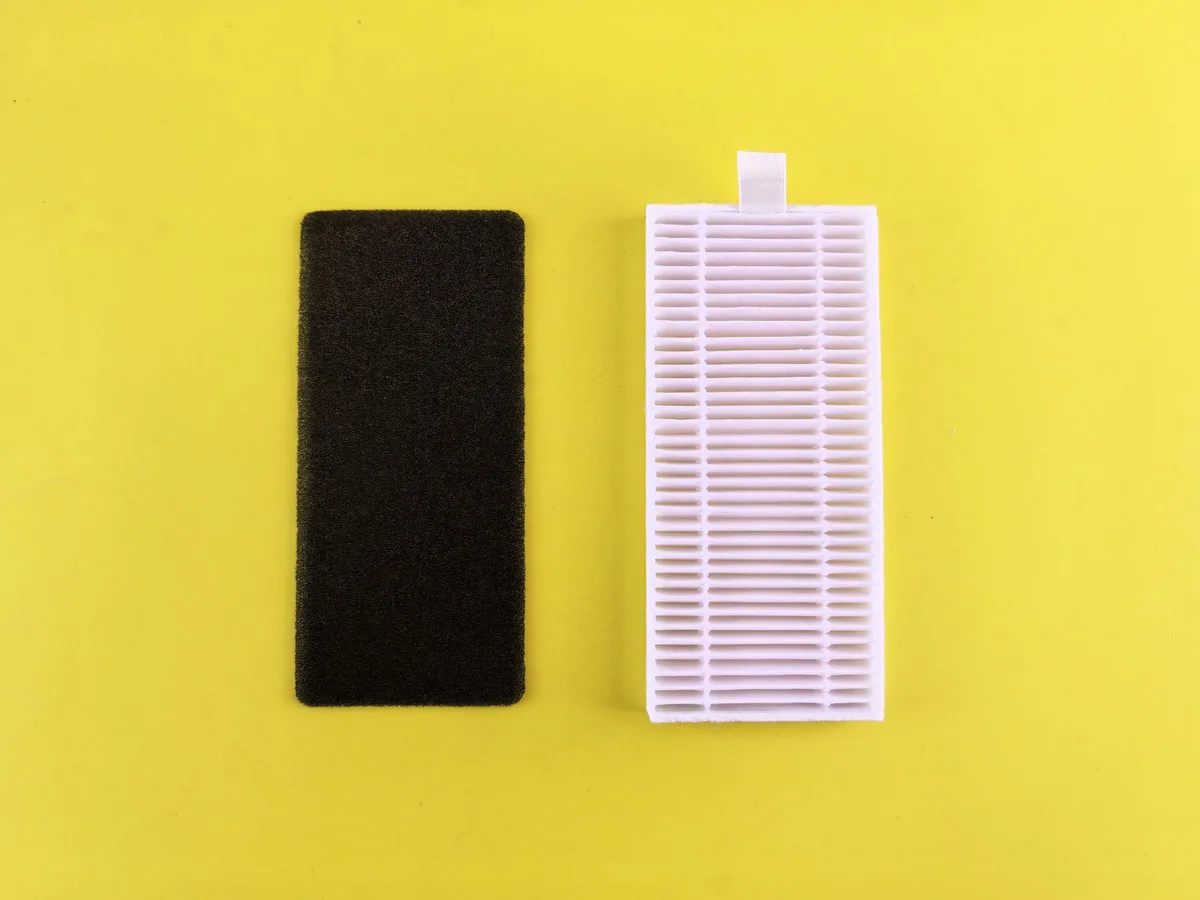
Different filters have different lifespans. Here’s a quick reference.
| Filter Type | Typical Replacement Interval | Notes |
|---|---|---|
| True HEPA (H13/H14) | 6–12 months | Lasts longer in clean environments |
| HEPA-type / Washable HEPA | 3–6 months | Less efficient; some can be cleaned but lose performance |
| Pre-filter (foam/mesh) | 1–3 months (clean monthly) | Washable; replace when worn |
| Activated Carbon (pellet) | 3–6 months | Saturation point; no washing possible |
| Carbon-impregnated foam | 3–4 months | Lower capacity than pellet carbon |
| Photocatalytic / UV filters | 6–12 months | UV bulb life, not filter media |
| Electrostatic / ionizer plates | Clean every 2–4 weeks | Replace every 1–2 years |
Note: If your purifier uses a combined filter (HEPA + carbon bonded together), you replace the whole unit at the same interval. That’s usually 6, 12 months.
How to Extend Filter Life Without Sacrificing Air Quality
You can make your filters last longer without breathing dirtier air. Here’s how.
Vacuum the pre-filter regularly. If your unit has a washable pre-filter, rinse it under running water every 2 to 4 weeks. Let it dry completely before reinstalling. This removes the bulk of large particles before they reach the HEPA layer.
Run your purifier on auto mode. Most smart purifiers adjust fan speed based on real-time air quality readings. This means the fan runs low when the air is clean and kicks up only when needed. That reduces overall particulate load on the filter compared to running constantly on high.
Place the purifier away from dust sources. Don’t put it right next to a door, a window often left open, or a fireplace. Also keep it off the floor if you can. Floor-level air tends to be dustier.
Elevate it on a table or shelf for cleaner intake air.
Close windows and doors when running the purifier. Outdoor air brings in new particles. The more sealed the room, the less work the filter has to do. You’re not trying to ventilate; you’re trying to scrub a closed volume of air.
Replace only what needs replacing. Some purifiers have separate pre-filters and HEPA filters. If the pre-filter is clogged but the HEPA looks clean, just change the pre-filter. Don’t throw away the HEPA prematurely.
It’s a waste of money and material.
What Happens If You Don’t Change the Filter?
Let’s be blunt: a dirty filter doesn’t just stop working. It actively makes things worse.
First, the motor strains against the resistance. That draws more power. You could see a 20, 30% increase in electricity usage from a clogged filter.
Second, the purifier pushes less air. The room doesn’t get cleaned as quickly. Fine particles that would have been trapped now stay airborne.
You’re effectively running an expensive fan with no filtration benefit.
Third, and most concerning: a heavily loaded filter can become a breeding ground for bacteria and mold, especially in humid conditions. As air passes through the damp, dirty media, it picks up microbial byproducts. That means your “air purifier” starts emitting biological pollutants instead of removing them.
The EPA’s Guide to Air Cleaners in the Home emphasizes that proper maintenance, including regular filter changes, is essential for effective air cleaning. Neglect it, and you’re better off turning the unit off.
Do I Need to Buy OEM Filters, or Can I Use Third-Party?
You can use third-party filters, but with caution. Many third-party brands meet or exceed HEPA specifications and cost half the price of the manufacturer’s brand. However, fit and seal are critical.
If the filter doesn’t seat perfectly, unfiltered air can bypass the media.
Check reviews. Look for filters that are specifically listed as compatible with your purifier model. Avoid the super-cheap no‑name ones that look like generic foam pads.
They often have lower efficiency and won’t last as long.
Some manufacturers (like Honeywell, Blueair, and Coway) offer their own replacement filters with detailed instructions. It’s worth checking their official sites. For example, Honeywell’s filter replacement page provides clear guidance on part numbers and intervals.
Going OEM guarantees the right fit and performance, but third-party can be a valid alternative if you do your homework.
Wrapping It Up: Your Simple Action Plan
Here’s what I want you to do right now.
- Check your purifier’s filter type. Look up the manual if you don’t have it. Identify whether you have a HEPA, pre-filter, and carbon layer.
- Note the installation date. Write it on the filter itself with a marker. That way you’ll always know when it went in.
- Set a reminder. Put a recurring calendar event for 6 months from now. Also set a monthly one to check visible condition.
- Watch for signs. Reduced airflow, louder operation, and persistent odors are your early warnings.
- Replace proactively. Don’t wait until the indicator light screams at you. If it’s been 9 months and you live with pets, just swap it. Your lungs will thank you.
You don’t need to overthink this. A consistent, sensible routine is all it takes. Change that filter on schedule, and your air purifier will keep doing exactly what you bought it for: delivering clean, fresh air every single day.

Table of Contents