Turn it off, remove power for 30 seconds, reconnect, then recalibrate the sensor.
If your smart bin won’t open or keeps cycling, you’re not alone. I’ve set up, fixed, and stress-tested dozens of sensor bins at home and for clients. This guide explains how to reset automatic trash can models the right way, what to do if a simple reset fails, and how to keep your lid smooth for years. Stick with me, and you’ll learn how to reset automatic trash can systems fast and safely.
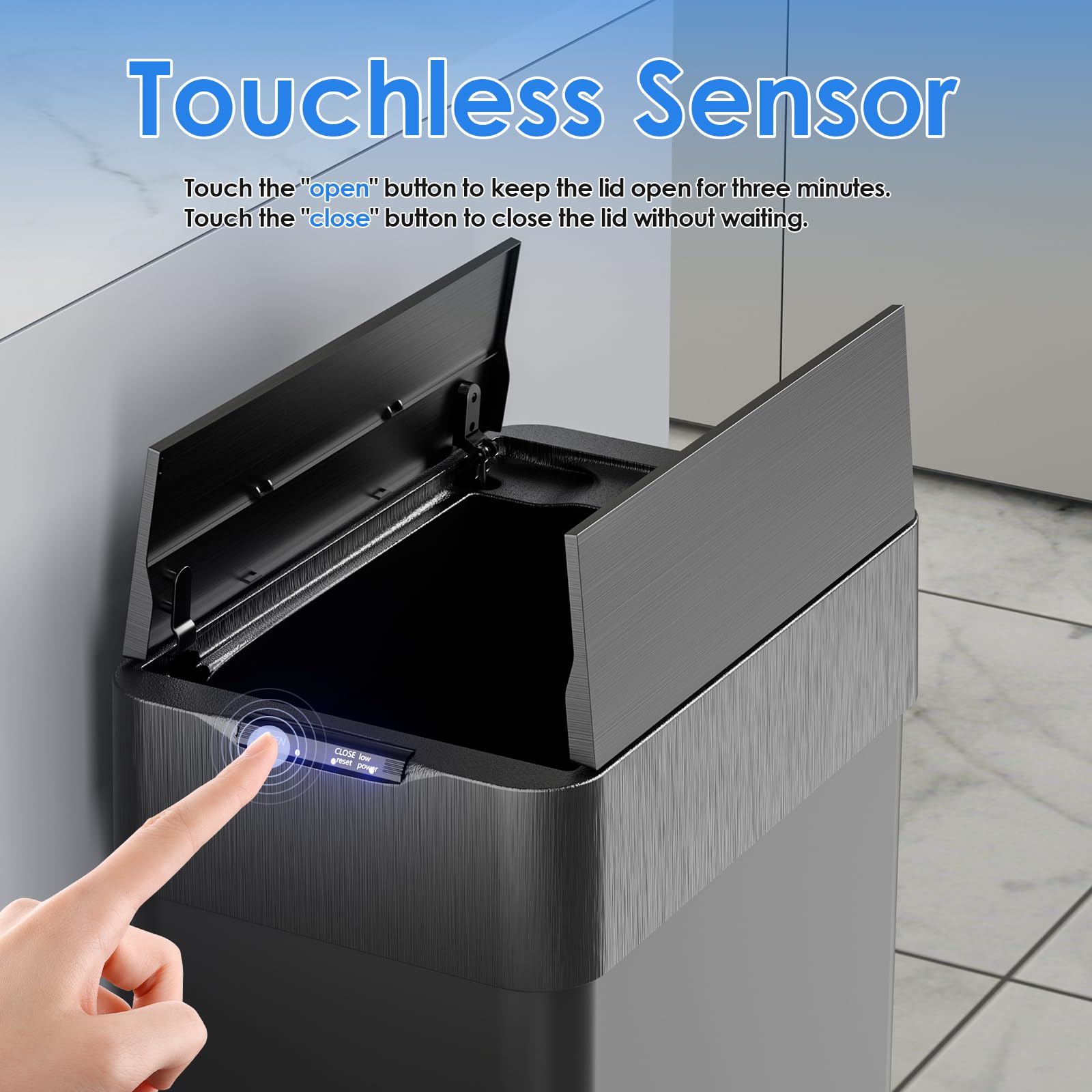
What a “reset” actually fixes
A reset clears small glitches in the lid, motor, or sensor. It can fix a stuck lid, random opens, or a dead panel. It also helps after battery swaps or a power cut.
Most issues come from low power, blocked sensors, or a bad calibration. A clean reset puts the control board back in a known state. This is the first thing to try before parts or service.
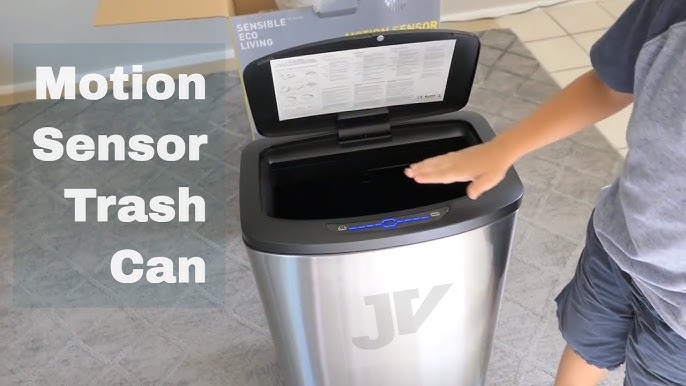
Universal quick reset steps
Use these steps on most brands. This is the best start for how to reset automatic trash can issues.
- Turn the power off. Use the power switch if you have one.
- Remove power. Take out batteries or unplug the adapter.
- Wait 30 to 60 seconds. This drains any leftover charge.
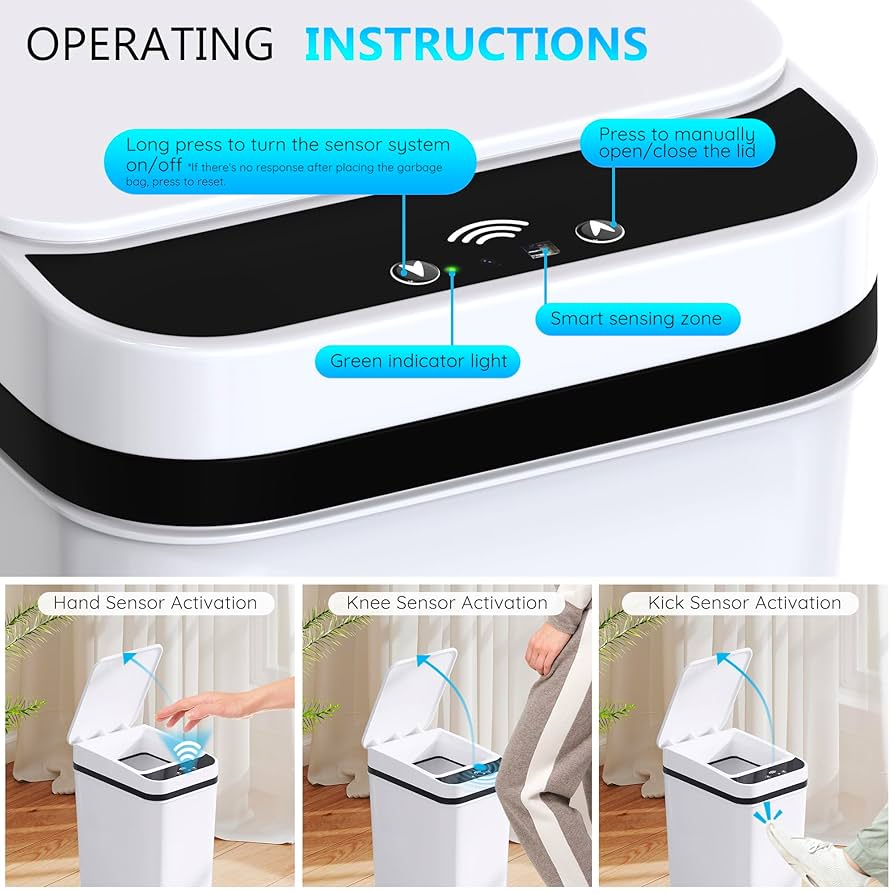
- Clean the sensor zone. Wipe the black window with a dry, soft cloth.
- Reinsert batteries or plug in power. Use fresh, high-quality batteries if in doubt.
- Power on. Keep your hand away from the sensor for 10 seconds.
- Test the lid. Wave your hand once at normal range.
Tip from the field: Use alkaline batteries for most lids. Rechargeable NiMH cells can be lower voltage and may cause weak lifts.

Brand-specific reset methods
Each brand has small twists. If you need to know how to reset automatic trash can models by name, try these common paths first. Always confirm with your manual.
simplehuman
- Turn off the switch under the lid.
- Unplug power or remove batteries.
- Hold the open button for 5 seconds to discharge.
- Restore power. Turn on. Do not trigger the sensor for 10 seconds.
- If the lid is slow, run 3 open/close cycles with the button.
iTouchless
- Power off. Remove power.
- Clean the sensor lens with a microfiber cloth.
- Restore power. Hold the open button for 3 seconds to recalibrate.
- If the lid stutters, replace all batteries as a set.
Ninestars
- Turn off. Remove power.
- Press and hold the open button 5 seconds.
- Restore power. Turn on. Avoid the sensor for 10 seconds.
- If it keeps opening, move it away from sunlight or shiny walls.
EKO
- Power off. Remove power.
- Restore power. Press and hold both open and close buttons for 3 seconds.
- Power cycle once more if needed.
Kohler/other premium brands
- Power off. Remove power.
- Restore power. Hold the manual open button to run one full cycle.
- Update firmware if your model supports it via app or USB.
If you have a manual “reset” pinhole, press it with a paper clip for 3 seconds. This is rare, but it exists on a few models.

Deep reset and sensor calibration
If the basic steps fail, do a deeper reset. This is how to reset automatic trash can hardware more fully without tools.
Hard discharge
- Power off. Remove power.
- Press and hold open for 10 seconds to drain the board.
- Wait 2 minutes. Restore power. Power on.
Lid motor re-home
- Power on.
- Hold close until the lid closes and stops.
- Hold open to lift and stop. Repeat once.
Sensor recalibration
- Clean the lens with isopropyl alcohol on a soft cloth.
- Keep the front area clear for 12 inches.
- Power on and wait 15 seconds with no motion.
These steps help the lid find its top and bottom points again. They also reset sensitivity if the sensor was confused by light or objects.
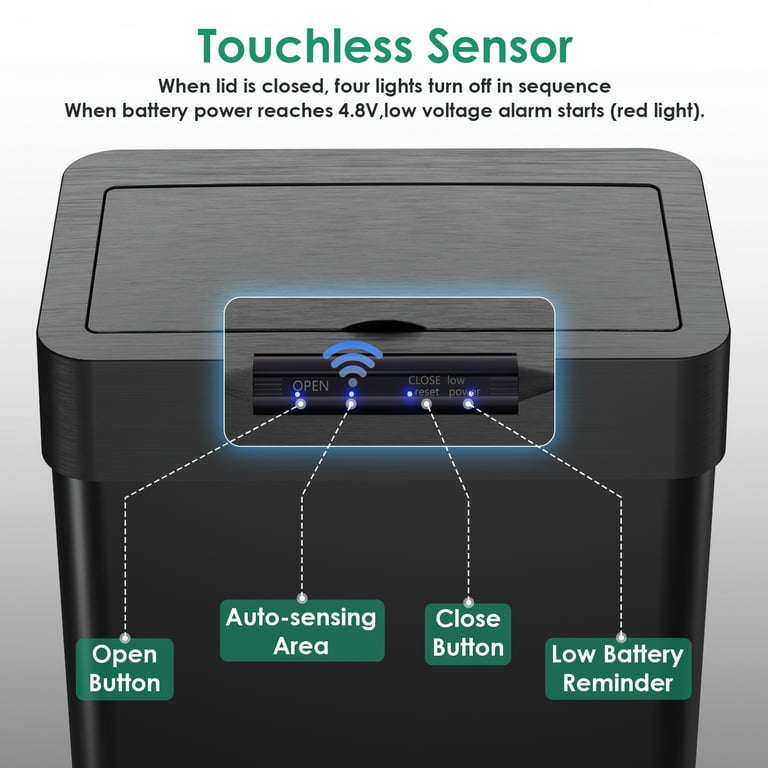
Troubleshooting after a reset
If you still ask how to reset automatic trash can units after a failed try, check these fast fixes.
Lid does not move
- Replace all batteries with fresh ones.
- Try a power adapter if your model allows it.
Lid keeps opening by itself
- Move the bin away from direct sun, mirrors, or shiny steel.
- Remove bags or liners that block the hinge.
Weak or noisy lift
- Use brand-new alkaline batteries. Cheap cells sag under load.
- Check for gunk in the hinge. Wipe and dry.
Sensor dead but buttons work
- Clean the sensor window and dry well.
- Reduce bright light. Some IR sensors hate strong sunlight.
Random beeps or errors
- Power off and let it rest for 5 minutes.
- Check for moisture under the lid.
If it still fails, the motor or board may be worn. Many lids last 3 to 5 years with daily use.

Prevent the need for frequent resets
Good care cuts the number of resets. These simple steps help if you often search for how to reset automatic trash can fixes.
- Swap batteries as a full set every 6 to 12 months.
- Keep the sensor lens clean. Wipe weekly.
- Do not overfill the bag. It strains the lid.
- Keep 12 inches clear in front of the sensor.
- Avoid wet wipes on the panel. Use a dry cloth.
- Do a quick power cycle after a battery change.
I learned this the hard way with a busy office bin. Overstuffed bags made the motor stall. After lighter loads, the resets stopped.
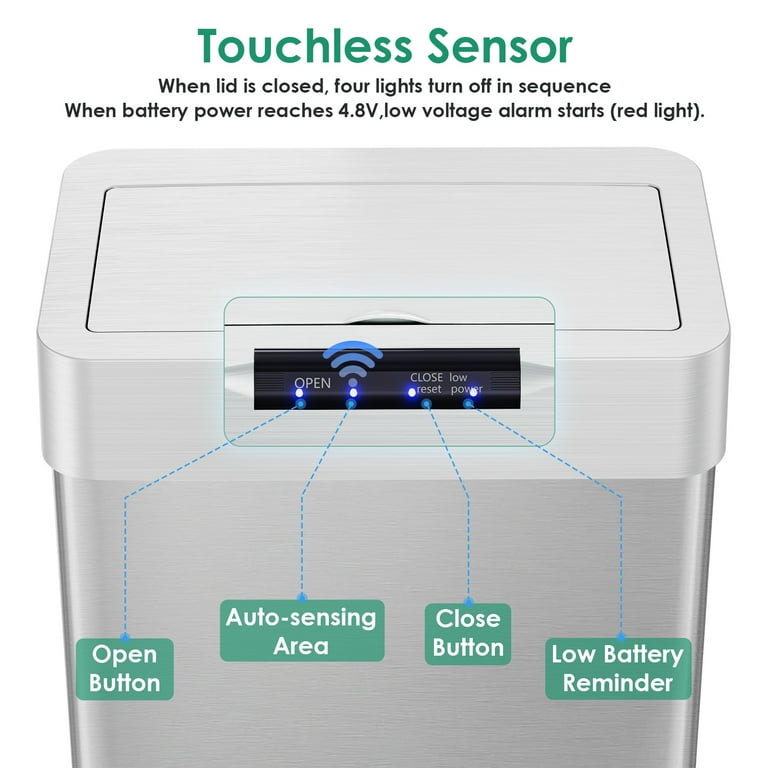
Tools and supplies you may need
You do not need much for how to reset automatic trash can tasks. A small kit saves time.
- Fresh alkaline batteries
- Microfiber cloth
- Isopropyl alcohol, 70%
- Small screwdriver for battery doors
- Paper clip for reset pinholes
Keep this set near your cleaning gear. It turns a 20-minute issue into a 2-minute fix.
Safety and warranty notes
Take care with power and moving parts. This also keeps your warranty safe.
- Unplug or remove batteries before deep work.
- Never force the lid by hand. Use the button.
- Keep liquids away from the control board.
- Use only approved power adapters.
- Check your warranty before opening the lid shell.
Many brands will send a new lid if the motor fails in the warranty window. Log your steps and dates. Support teams like clear notes on how to reset automatic trash can problems you tried.
Frequently Asked Questions of how to reset automatic trash can
How do I reset a sensor trash can after changing batteries?
Turn it off, remove the batteries, wait 30 seconds, and reinstall. Power on and keep the area clear for 10 seconds.
Why does my automatic trash can keep opening on its own?
Strong light, shiny floors, or a nearby wall can trigger the sensor. Move the bin, clean the lens, and try a power cycle.
Can I use rechargeable batteries in my smart trash can?
You can, but many lids prefer alkaline cells due to higher voltage. If the lid is weak, switch to alkaline.
What if the manual buttons work but the sensor does not?
Clean the sensor with a soft cloth and remove bright light sources. If it still fails, the sensor board may need service.
How often should I reset my automatic trash can?
Only when it acts odd or after a battery swap. If you reset often, check power, bag fit, and the sensor area.
Will a factory reset erase settings?
Most bins have no deep settings to lose. A power cycle is enough for a clean start.
My lid is noisy after reset. Is that normal?
A slight grind at first is normal as it re-homes. If it stays loud, check for debris at the hinge.
Conclusion
A clean power cycle and a clear sensor fix most smart bin issues. Now you know how to reset automatic trash can models fast, plus what to check when the first try fails. With fresh power, a clean lens, and open space, lids run smooth.
Put these steps to use today. Save your notes in your phone, and you will fix the next glitch in minutes. Want more tips like this? Subscribe, share your bin model in the comments, and I’ll help you dial it in.

Table of Contents